
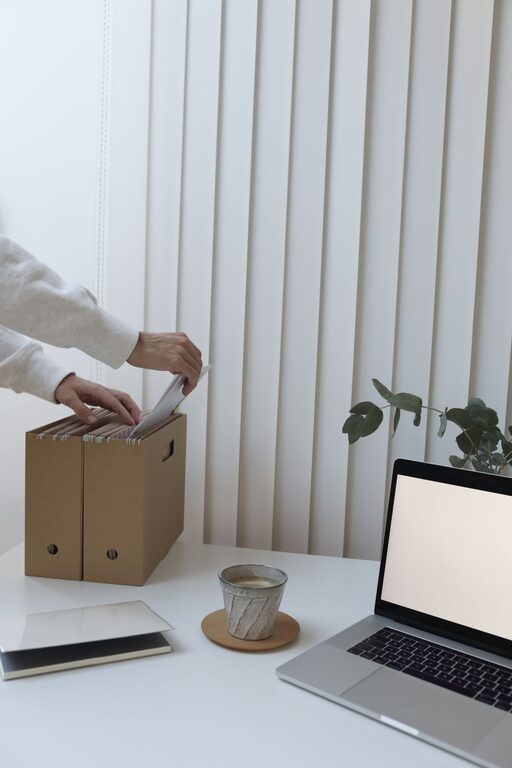
Creating a productive home office environment is essential for anyone working remotely or managing tasks from home. A well-designed workspace not only enhances focus but also promotes comfort and helps maintain a healthy work-life balance. Whether you have a dedicated room or a small corner, these tips will guide you in making the most of your home office setup.
1. Choose the Right Location
Your home office should be in a space where you can minimize distractions and separate work from personal life as much as possible.
– Quiet Area: Select a room or corner away from noise-heavy parts of your home. If you live with others, communicating your work schedule can reduce interruptions.
– Natural Lighting: Opt for a spot near a window to benefit from daylight, which helps improve mood and reduces eye strain.
– Accessibility: Make sure your workspace is easy to access and organized so that you can start and stop working without hassle.
2. Invest in Ergonomic Furniture
Comfort plays a vital role in maintaining productivity. Ergonomic furniture supports good posture and reduces physical strain.
– Adjustable Chair: Choose a chair with good lumbar support and adjustable height to align with your desk.
– Desk Height: Your desk should allow your arms to rest at a 90-degree angle while typing.
– Footrest and Monitor Stand: These accessories help create a comfortable position and prevent discomfort over long periods.
3. Maintain Proper Lighting
Good lighting reduces eye strain and supports alertness.
– Natural Light First: Maximize natural light during the day.
– Task Lighting: Use a desk lamp with adjustable brightness for focused work during evenings or darker days.
– Avoid Glare: Position your computer screen perpendicular to windows or light sources to prevent reflections.
4. Organize Your Workspace Efficiently
A tidy workspace reduces distractions and helps you find necessary items quickly.
– Declutter: Keep only essential items on your desk.
– Storage Solutions: Use shelves, drawers, or organizers to store documents, office supplies, and electronics.
– Cable Management: Bundle and hide cables to create a clean look and prevent tangling.
5. Personalize Your Space
Adding personal touches can make your home office inviting and increase motivation.
– Decor: Include plants, artwork, or photos that inspire you.
– Colors: Choose calming colors that soothe your mind or energizing tones if you prefer an active vibe.
– Scent: Some prefer incorporating subtle scents like lavender or citrus through candles or diffusers to enhance mood.
6. Establish Boundaries and Routine
Working from home requires self-discipline and clear boundaries.
– Set Work Hours: Maintain consistent start and end times to structure your day.
– Break Time: Schedule short breaks to stretch and rest your eyes.
– Signal Work Mode: If you share your space, use signs or signals to indicate your availability.
7. Minimize Digital Distractions
Technology is both a tool and a challenge for productivity.
– Notifications Management: Turn off non-essential alerts during work sessions.
– Use Productivity Apps: Consider apps that block distracting sites or help manage tasks.
– Dedicated Work Devices: If possible, use a separate device for work to avoid mixing personal and professional activities.
8. Keep Your Workspace Clean
A clean environment promotes focus and reduces stress.
– Daily Tidying: Spend a few minutes each day clearing your desk.
– Regular Cleaning: Dust surfaces, clean your keyboard and screen weekly to maintain hygiene.
– Air Quality: Open windows occasionally or use an air purifier to keep the air fresh.
Conclusion
Designing a productive home office environment doesn’t have to be complicated. By selecting an appropriate location, investing in ergonomic furniture, optimizing lighting, and implementing organization techniques, you can create a space that supports your work effectively. Remember to personalize your area and set clear routines to maintain focus and motivation. With these tips, your home office can become a comfortable and productive place where you can excel every day.