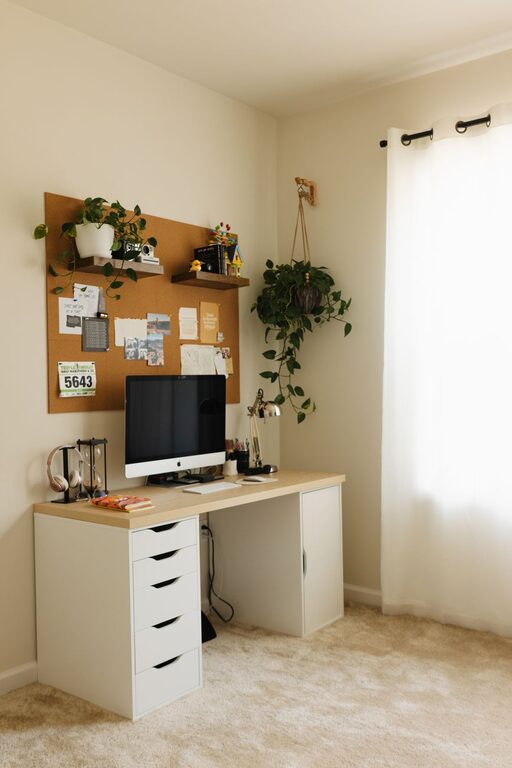

Creating a productive home office environment is essential for anyone working remotely or spending significant time on projects at home. A well-designed space not only enhances your focus but can also improve comfort and overall work satisfaction. Whether you’re new to working from home or looking to refresh your current setup, these tips will help you create a home office that supports productivity and well-being.
1. Choose the Right Location
Selecting the best spot for your home office sets the foundation for productivity.
Consider Natural Light
Position your desk near a window if possible, as natural light can boost mood and energy. Avoid glare on your screen by placing your monitor perpendicular to the window.
Minimize Distractions
Pick a quiet area away from high-traffic zones. If space is limited, use room dividers or noise-cancelling headphones to reduce interruptions.
Dedicated Workspace
Designate your office space strictly for work. This separation helps you mentally switch between work and home modes.
2. Invest in Ergonomic Furniture
Comfort matters when you’re spending extended hours working.
Ergonomic Chair
Choose a chair that supports your lower back, allows your feet to rest flat on the floor, and promotes good posture.
Adjustable Desk
If possible, opt for a desk with adjustable height to alternate between sitting and standing, reducing fatigue.
Proper Monitor Setup
Place your monitor at eye level, about an arm’s length away, to reduce neck and eye strain.
3. Organize with Smart Storage Solutions
Clutter can hinder concentration and slow you down.
Use Shelving and Cabinets
Keep important documents, office supplies, and equipment organized and within reach using shelves, drawers, or cabinets.
Desk Organizers
Pens, notebooks, and small items stay tidy with desk organizers, making your workspace cleaner and easier to navigate.
Digital Organization
Maintain your computer files and emails neatly sorted to avoid digital clutter.
4. Optimize Lighting and Ambiance
Good lighting and atmosphere support long hours of work without discomfort.
Layered Lighting
Combine overhead lights with task lighting, such as a desk lamp, to reduce shadows and eye strain.
Adjust Color Temperature
Use lighting with a natural or cool white spectrum during work hours to keep you alert, and softer lighting for breaks.
Personal Touches
Add plants, artwork, or personal items to make the space inviting, but avoid overcrowding your desk.
5. Set Clear Boundaries and Routines
Structure helps maintain productivity and work-life balance.
Define Work Hours
Set specific start and end times for your workday, just like in an office.
Take Regular Breaks
Use techniques like the Pomodoro method to work in focused intervals and rest periodically.
Communicate Boundaries
Let family or housemates know your work schedule to minimize interruptions.
6. Leverage Technology for Efficiency
Use tools that streamline tasks and encourage focus.
Reliable Internet and Equipment
Ensure your internet connection and devices are fast and stable to avoid disruptions.
Productivity Apps
Use task managers, calendar apps, or focus timers to organize your day.
Minimize Notifications
Disable non-essential notifications during work periods to reduce distractions.
7. Maintain Cleanliness and Fresh Air
A clean and fresh environment contributes to mental clarity.
Daily Tidying
Spend a few minutes at the end of each day clearing your desk and organizing supplies.
Ventilate the Room
Open windows or use air purifiers to keep air fresh and reduce stuffiness.
Keep Hydrated and Snack Smartly
Have water nearby and choose healthy snacks to stay energized.
—
Creating a productive home office is about balancing functionality with comfort. By paying attention to your workspace design, organization, lighting, and routines, you can make your home office an environment that supports your best work every day. Remember, it’s okay to customize your space as your work habits evolve—your ideal office should grow with you.